
Guide for Rocket Growth Open APIs
en.Consent Requirement for Product Creation API
- Rocket Growth Open APIs can be used after getting Coupang API KEY
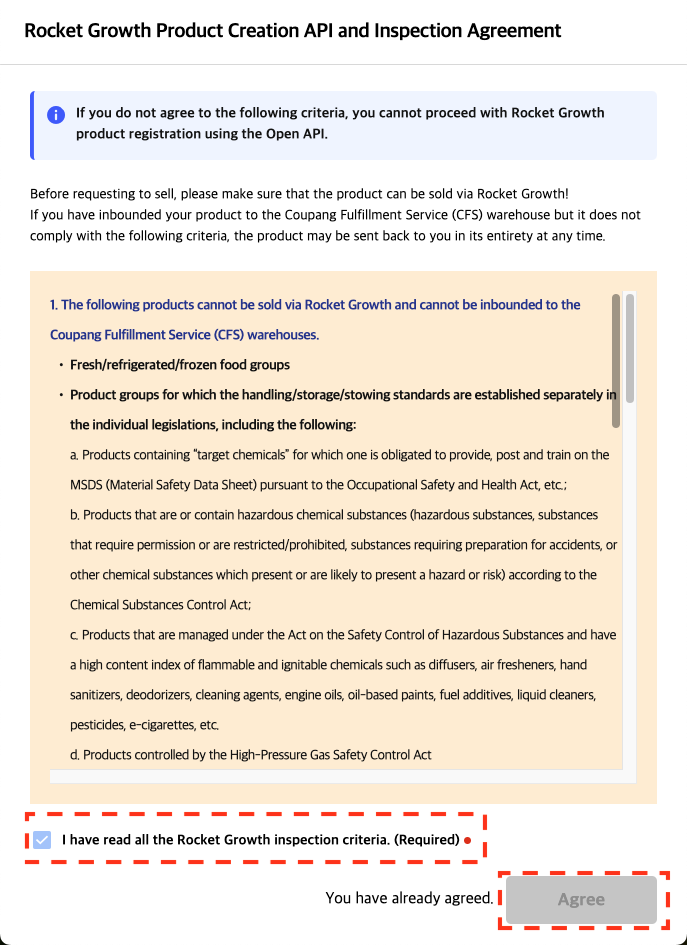
- In order to use the Rocket Growth product creation API, you must agree to the Rocket Growth inspection standards. If there is no consent, an error will occur and product creation will not be possible.
- Access WING (https://wing.coupang.com) > Seller information > Select additional sales information
- Click “Agree to Rocket Growth Product API & Inspection” on the right side of the “Issue open API Key” area.

- Once you check the terms in the agreement and click "Agree," you can create a new product through the product creation API. After clicking the check box for confirmation of inspection, click the “Agree” button to complete the consent process. Once agreement is submitted, the pop-up will show a message that "You have already agreed."
How to use new schema
For products exclusive to Rocket Growth or products that operate simultaneously with Rocket Growth and Marketplace, some APIs must be integrated using a new schema. For Product, Category, and CS APIs, the Endpoint URLs are the same as the existing APIs, and you can check whether you need to use the existing or new schema based on the table below. If you only operate Marketplace products, you can use the existing schema as is.
| Area | Open API List |
Use Existing Marketplace Schema |
Use New Schema | Remakrs | Document Link |
|---|---|---|---|---|---|
|
Product API |
Product Creation |
X |
O |
|
LINK |
| Request for product approval | O | X | LINK | ||
| Query product | X | O | LINK | ||
| Query product (approval is not required) |
X |
X |
Rocket Growth products are not eligible, For Marketplace products use the existing schema |
- | |
| Modify product | X | O | LINK | ||
| Product modification (approval is not required) | X | X | Rocket Growth products are not eligible, For Marketplace products use the existing schema | - | |
| Delete a product | X | X | Rocket Growth products cannot be deleted | - | |
| Query a status of product registration | O | X |
|
LINK | |
| Product list paging query | X | O | You can search Rocket Growth products separately by adding parameters to the endpoint URL. The response schema is the same as as-is. | LINK | |
| Query a history of product status updates | O | X |
|
LINK | |
| Query Rocket Growth Inspection Status | X | O |
|
To be updated | |
| Query a summary of product info | O | X | LINK | ||
| Query quantity/price/status by product items | O | X |
|
LINK | |
| Changing quantity of each product item | O | X |
|
LINK | |
| Changing price of each item of a product | O | X |
|
LINK | |
| Resume sales of each item of a product | O | X | LINK | ||
| Suspend sale of each item of a product | O | X | LINK | ||
| Change the base price for discount rate at an item level | O | X |
|
LINK | |
|
Category API |
How to get category list | X | O |
In the case of Rocket Growth products, there are categories that cannot be operated in the basic category list, so in the case of products intended for Rocket Growth operation, parameters must be added to the endpoint URL to search. The response schema is the same as as-is. |
LINK |
| Category Metadata Query | O | O |
When searching for category meta information, the same Endpoint as the Marketplace is used, and an additional parameter is responded regarding whether distribution period information is required for the queried category. For Rocket Growth products, distribution period information must be provided when registering the product based on the corresponding parameter. |
||
| CS API | Customer Inquiry Query by Product | O | X |
|
|
| Answer to Customer Product Inquiry | O | X |
|