
[OLD] Issue OPEN API Key
Before moving on to this step, you should register as a seller on WING.
This chapter explains the process of issuing an API key to be used on the operation environment.
If you don't verify your business and onboarding is approved, API key issuance is not supported.
You can request an OpenAPI Key on WING(https://wing.coupang.com).
A key is immediately issued upon request, but it may take 24 hours to authenticate the actual access under internal procedures. And please be informed that no separate test environment is provided.
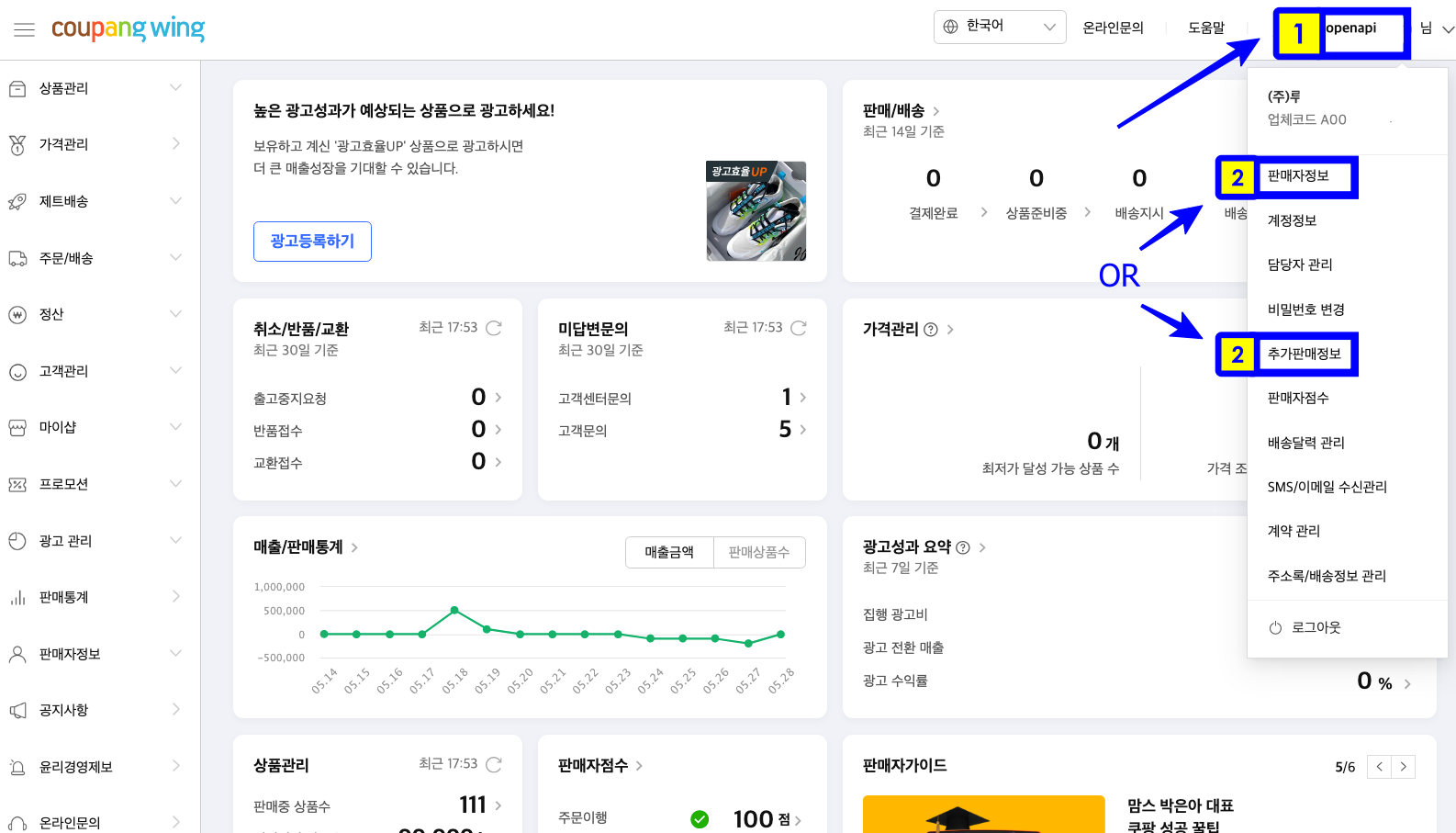
After log-in, click on your ID at the top right corner as shown in the image above and then click on 'Seller Info' or 'Additional Sale Info'.
(The location of the API Key issuance menu may vary depending on your Vendor ID).
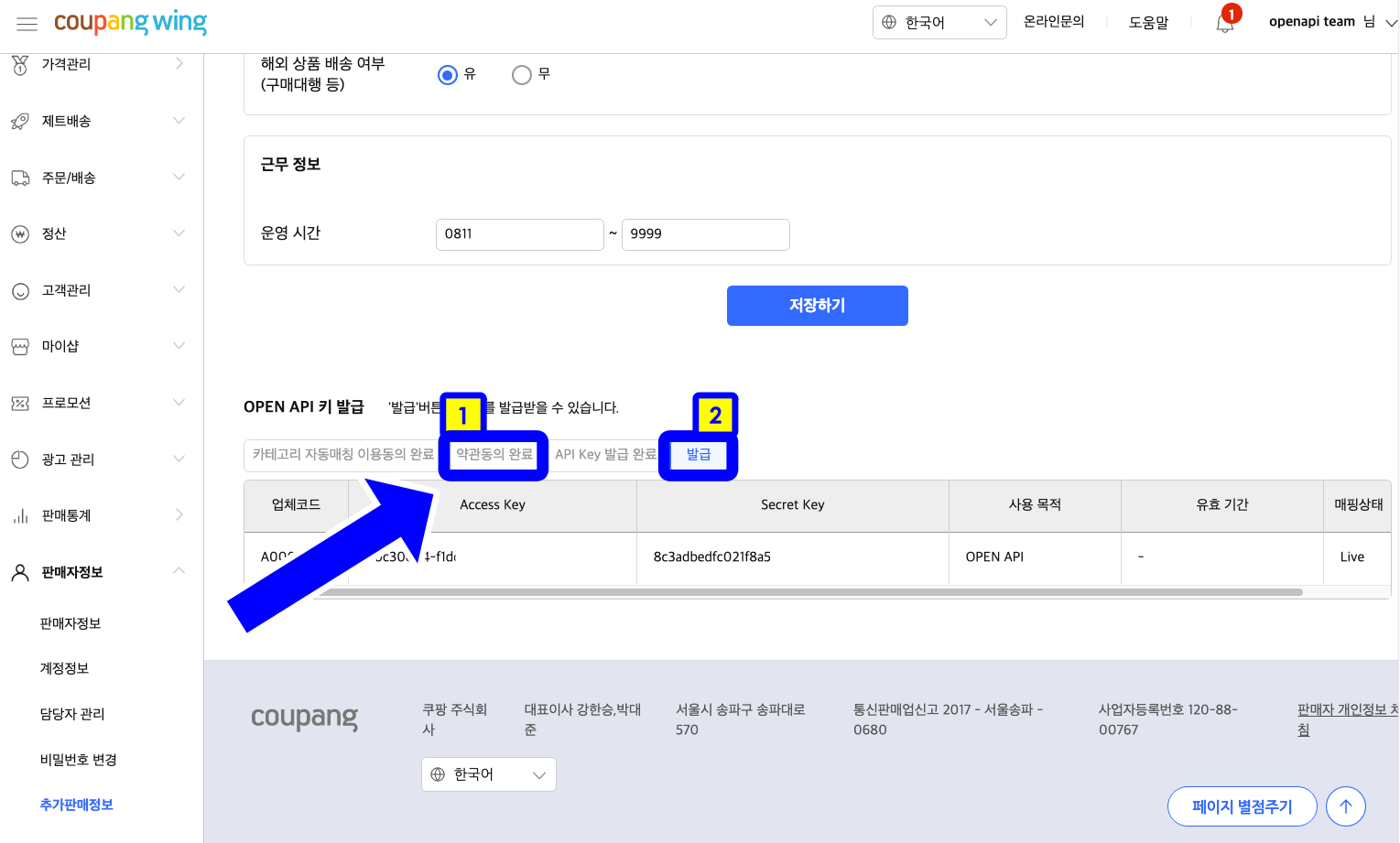
Click the 'Agree to Terms and Conditions' and 'Issue' buttons at the bottom.
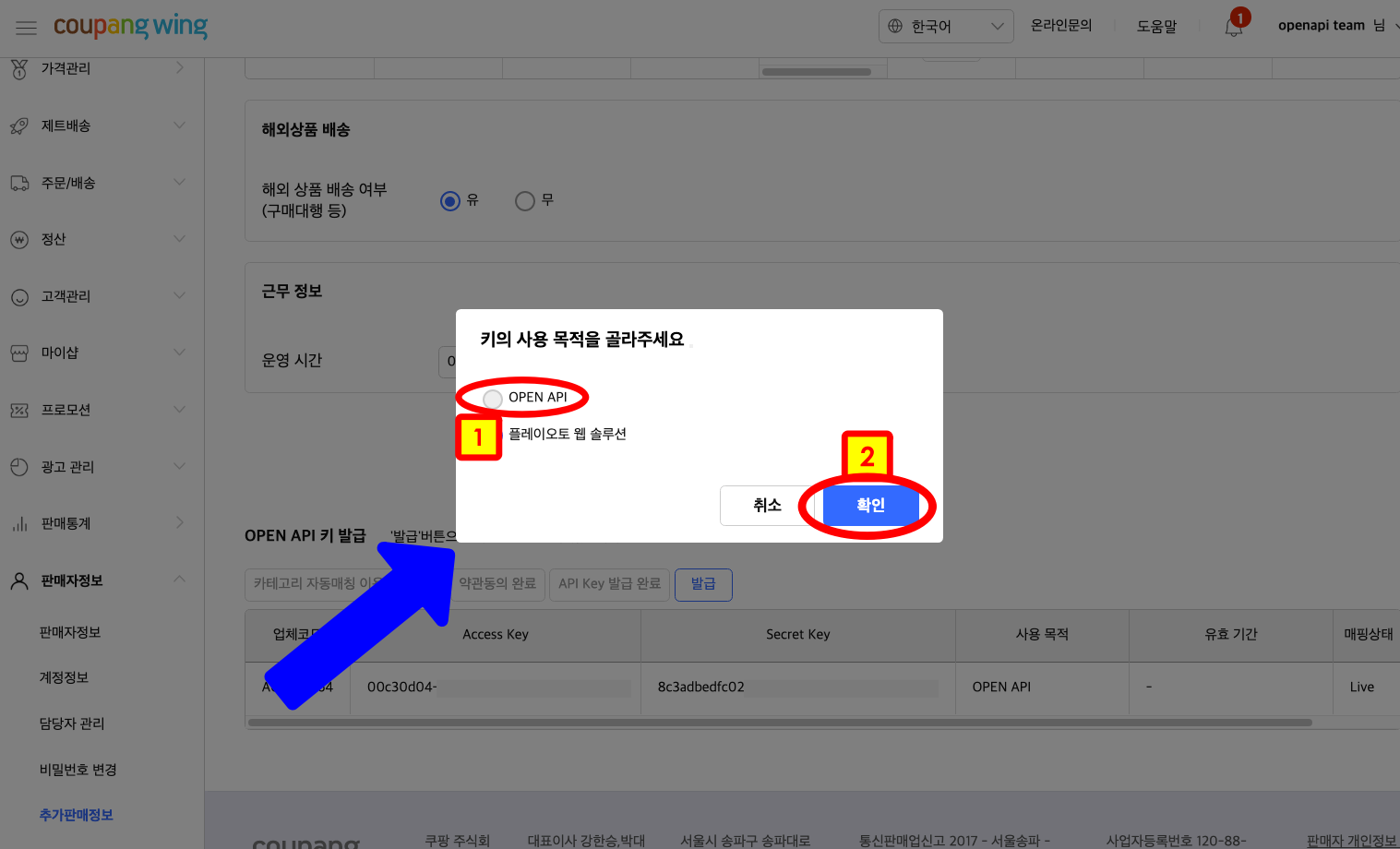
After that, select 'OPEN API' and click on the 'OK' button.
A key has been successfully issued.
Do not disclose the issued key info externally.
The issued key is so important that only those permitted have access to it even within Coupang, and when sending an inquiry email, do not include AccessKey and SecretKey. Send Coupang your vendorId only to make an inquiry.